Less screen time. More business.
Quote the work. Keep the crew moving. Get paid. We cut the double entry and chasing so the paperwork doesn’t follow you home.


AI built for the trades
We help you get ahead with sharper estimates, clear job costs and less paperwork. We learn how you work, then put software and AI to work for your business.
More control over the work. Less time on a screen.
Fewer loose ends keeping you up at night.
Built by someone who runs jobs, too. Meet Jeff
Running a GC business? Jambr GC may already be a fit

Built for the people doing the work
General contracting. Excavation and civil. Finish trades. Mechanical, plumbing and electrical. Framing. Concrete. Cabinet making.
Customers to look after. Jobs to estimate. Crews to keep moving. And enough left over to make it worth doing. That’s what we build around.
Quote the work. Keep the crew moving. Get paid. We cut the double entry and chasing so the paperwork doesn’t follow you home.
See what you bid against what the job is costing in labor, materials and equipment. Catch the overruns, price the changes, and know what to fix on the next bid.
The way you estimate, schedule crews and bill customers matters. We build around it, so you spend less time wrestling with software and more time running the work.
The right starting point
Why keep paying for software
you have to work around?
We fit the software to the way you estimate, run jobs and get paid. You don’t need to pick a package. Show us how your business works, and we’ll recommend the simplest way to get you where you need to be.
If Jambr GC already fits your business, we get you set up and connected. No need to pay for a new system when the right one is already here.
Start with the pieces we’ve built for customers, estimates, jobs and costs. We adapt them to your trade, connect your tools and build the parts you’re missing.
When your business needs something different, we design and build it with you. From the first customer call to the final invoice, it works around your process.
We build iPhone and iPad apps, Android apps and web apps. Whatever the job calls for. A quick update from the field. An estimate at your desk. The numbers you need before the next payroll. Less tapping and typing for your crew.
We spend time with the people doing the work, test it with you and stay available after it’s running. You have a person to call.
Setup, connections and any custom development are scoped around the work you need. We agree on the cost before work starts, along with a reasonable ongoing fee for hosting and support.
You own the custom code we build for your business. Any existing Jambr building blocks included in your system are licensed to you.
We know this world
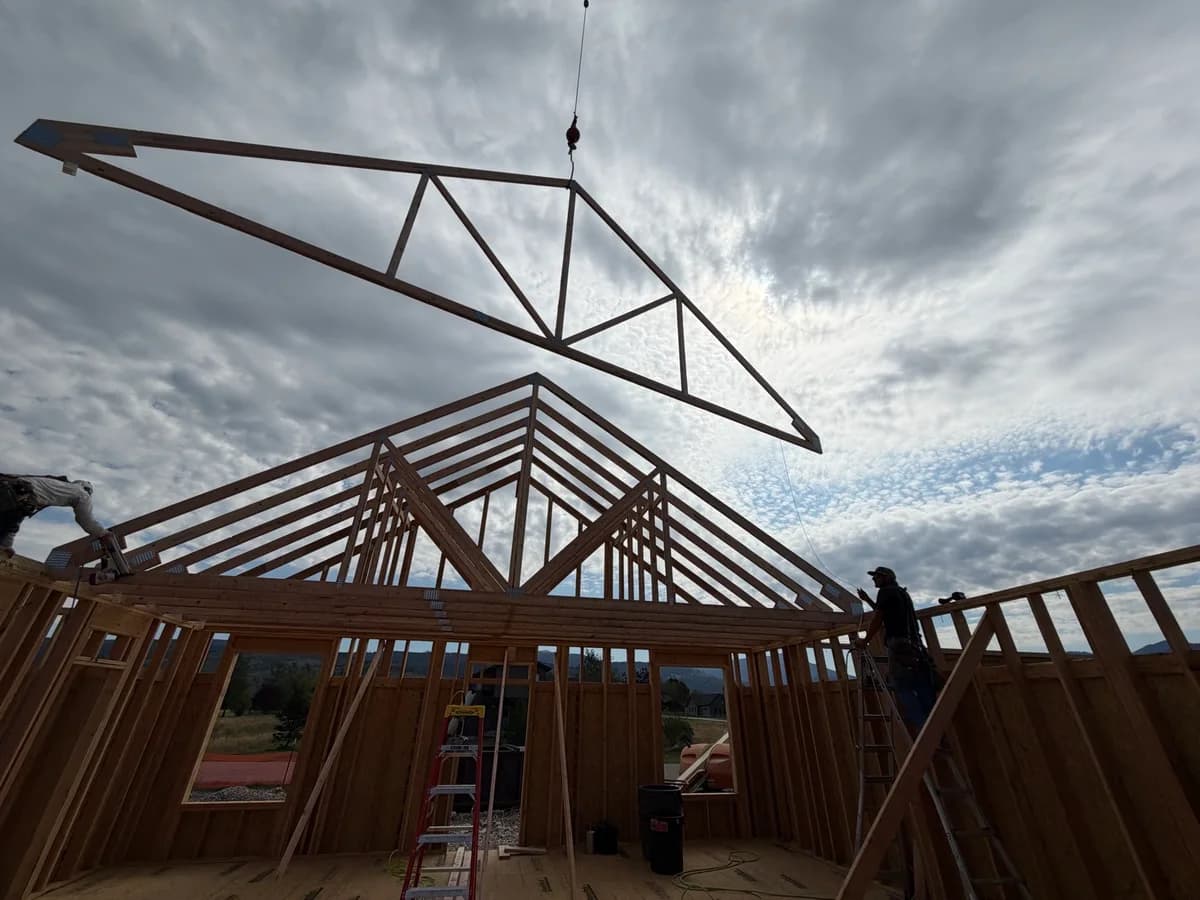
General contractor. Software developer. AI researcher.
Based in the Tetons.
I run builds. I chase costs, coordinate trades, and want to get home without another evening of admin. I built Jambr GC to solve those problems in my own business.
Now I build systems around other businesses too. I get into the details with you: how a job comes in, how work gets done, where the money goes, and where information gets lost.
We can reuse proven pieces from what I’ve already built: customer records, estimates, costs and job updates. Your system takes shape around your business.
You have enough to manage. Your software shouldn’t be another job.
Built for AI from the ground up
A bill in your inbox. A schedule in a spreadsheet. A decision buried in a text. AI falls down when the information it needs is missing or disconnected.
We get your customer details, estimates, job costs and field updates into one reliable place. Then we connect the AI you want to use, so it has the facts about your jobs.
Your business, connected to your chosen AI.
Ask compatible tools like ChatGPT or Claude about your jobs without copying everything into a chat. We handle the connection through MCP and agree with you on who can see what and which changes need your approval.
The proof is in the work
Jambr GC · General contracting
Jambr GC is powerful general contracting software already running real builds. Jobs, bids, costs, schedules, plans and field notes in one connected system, with AI built in.
If it fits your business, we get you set up. If there are gaps, we build what’s missing. The scope and cost reflect the work you actually need.
Let’s see if Jambr GC fits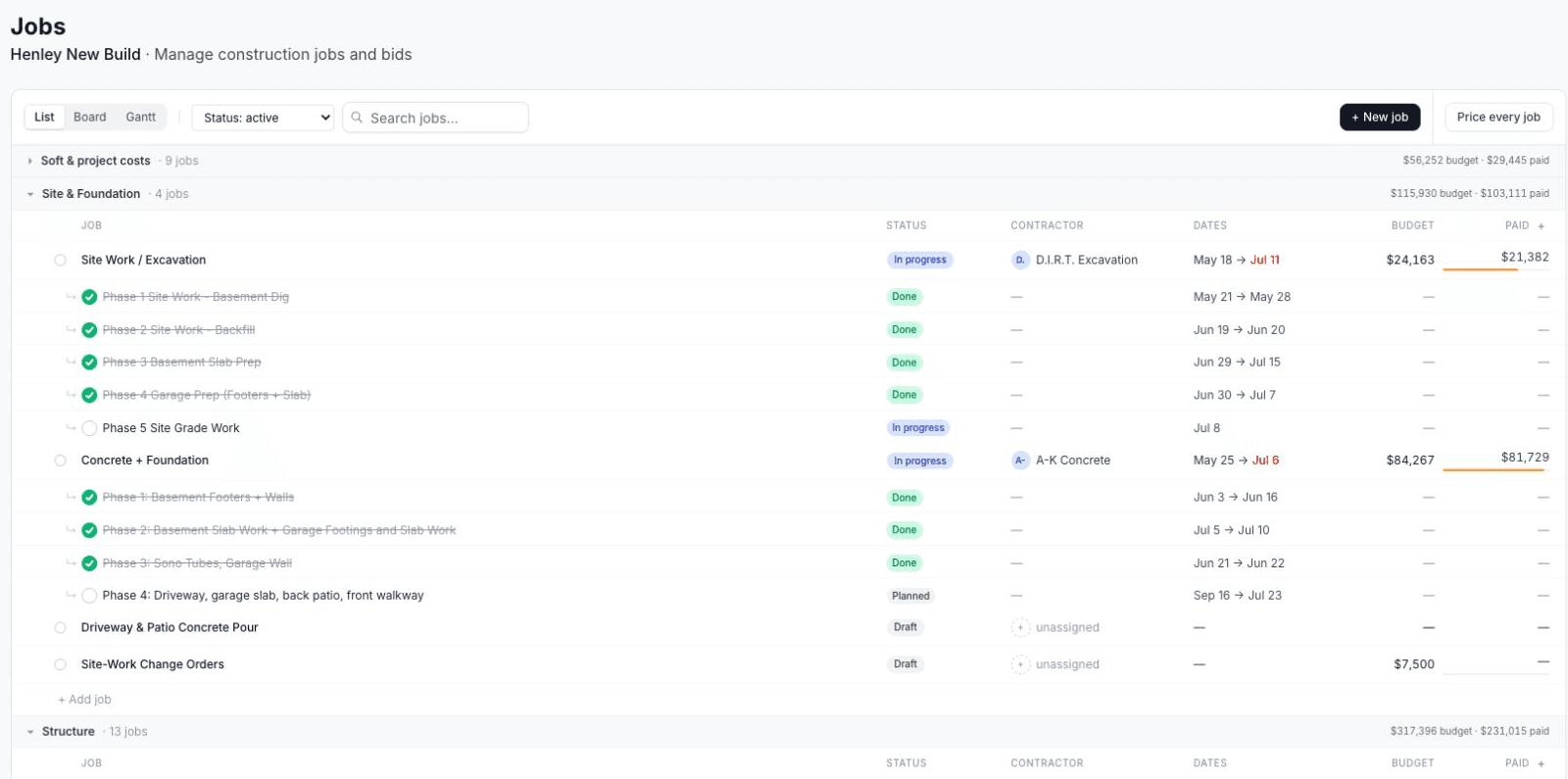
Jambr GC in use on a real build in Victor, Idaho.Live Henley jobs list · October 2026.
Bedrock · Stone fabrication
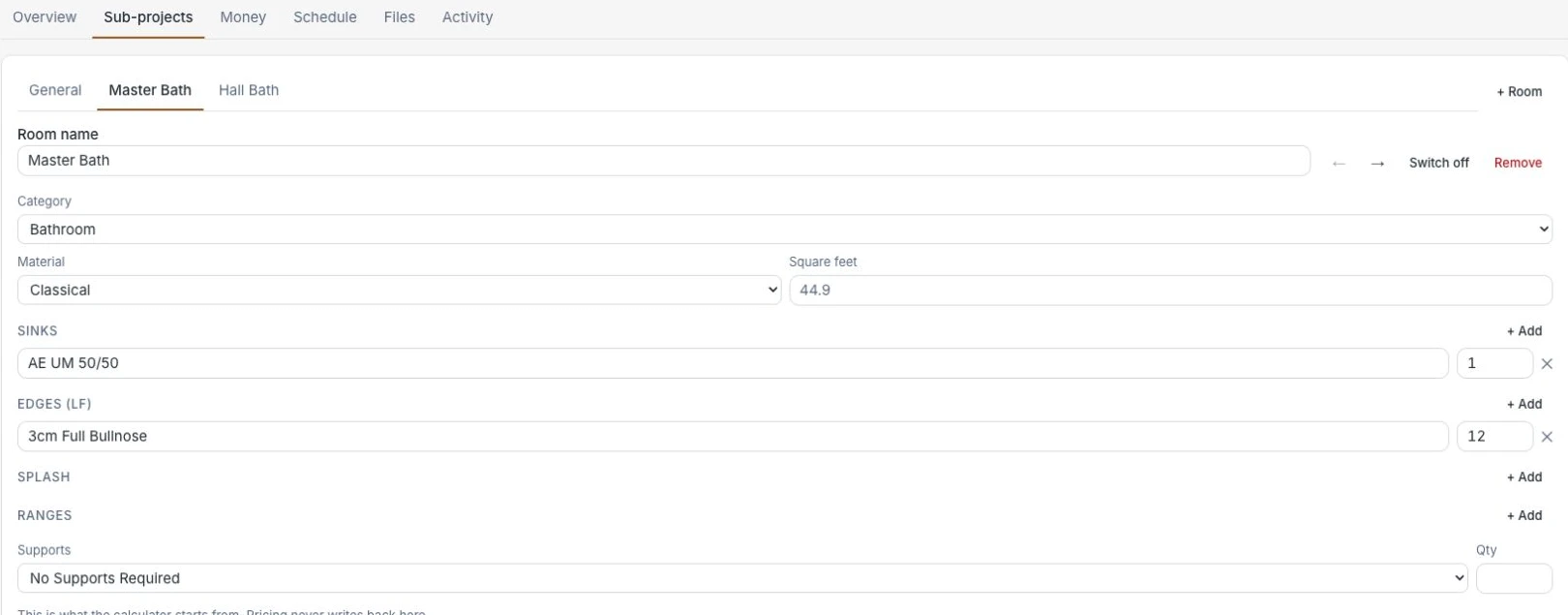
A system built around a stone shop’s work: customer records, quoting, job pipeline, tasks, and the template and installation calendar.
The shop’s customers, job details and next steps stay connected.
BlueTop · Civil contracting
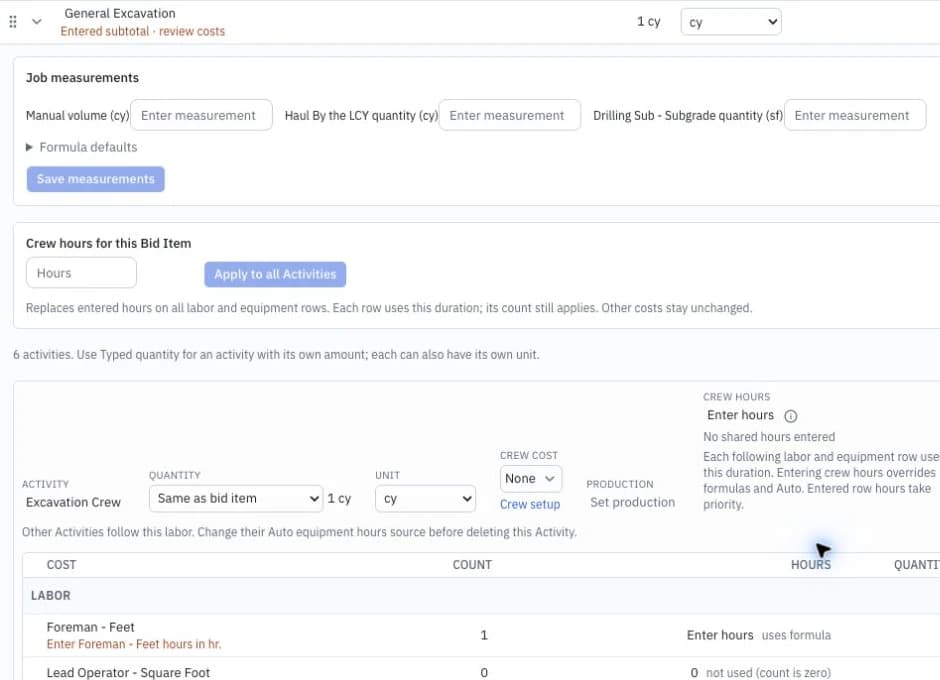
A system built around a civil contractor’s estimating: bid items, crews, labor, equipment and production rates, through to customer proposals.
The numbers behind the bid stay connected to the proposal.
Different workflows. Different systems. Yours starts with your business.
Start with a conversation
Tell us what trade you’re in and what’s eating up your time. Or just say hello.
You don’t need a project brief. Let’s get to know each other.